Introduction
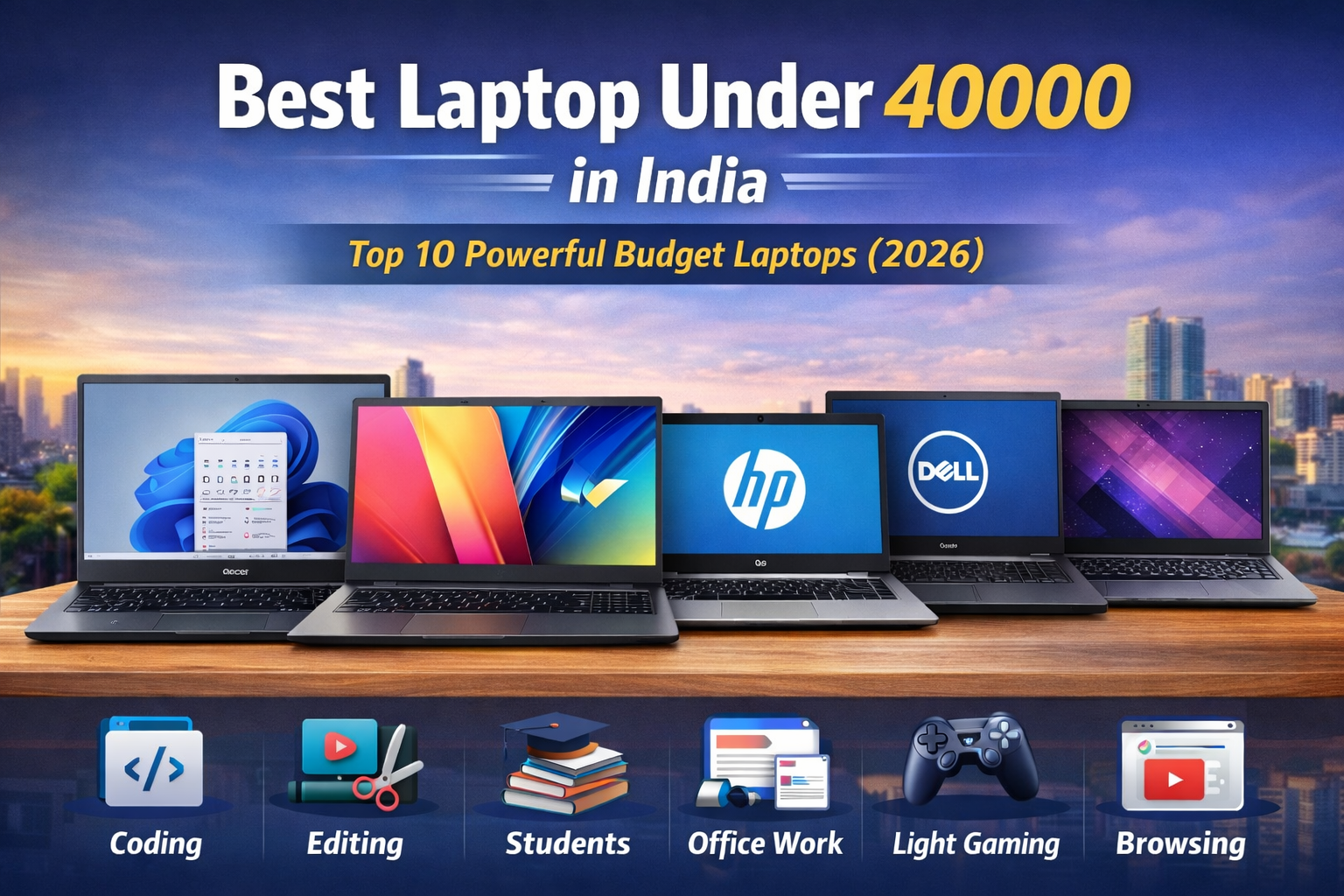
Finding the Best laptop under 40000 in India can feel confusing, especially in 2026 where options are everywhere. From students attending online classes to professionals handling office work and even casual users streaming content — everyone wants a laptop that delivers performance without breaking the bank.
The good news? You don’t need to spend ₹60,000–₹80,000 anymore to get a reliable machine. Today’s budget laptops come with SSD storage, decent processors, Full HD displays, and long battery life — all under ₹40,000.
In this detailed guide, we’ve carefully selected the Top 10 best laptops under 40000 in India based on performance, build quality, battery life, and real-world usability.
Camparison in One View Click Here
🔍 What to Expect from the Best Laptop Under 40000
Before jumping into the list, let’s quickly understand what you should expect in this budget:
-
Processor: Intel i3 (12th Gen) or AMD Ryzen 3 / Ryzen 5
-
RAM: 8GB (expandable preferred)
-
Storage: 512GB SSD (must-have in 2026)
-
Display: Full HD (1920×1080)
-
Battery: 6–8 hours average
-
Usage: Study, office work, light editing, browsing
🏆 Top 10 Best Laptop Under 40000 in India (2026)
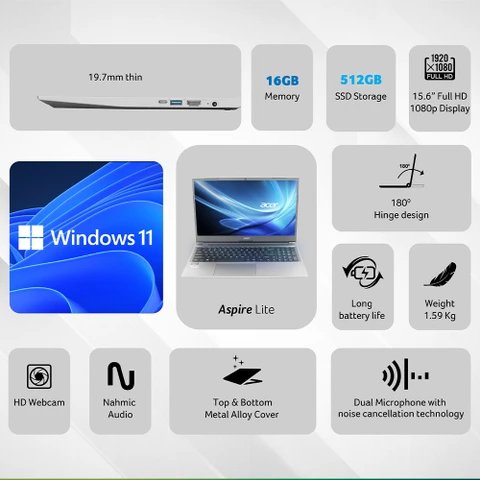
1. Acer Aspire Lite (Ryzen 5 5500U)
Why it stands out: Best performance laptop under 40K
Key Specs:
-
AMD Ryzen 5 5500U
-
8GB RAM (expandable)
-
512GB SSD
-
15.6” Full HD display
-
Windows 11
Performance:
This is easily one of the most powerful options in this price range. Ryzen 5 handles multitasking, coding, and light editing smoothly.
Best for: Students, multitasking users
Price: ~₹38,000
BUY NOW :- Amazon
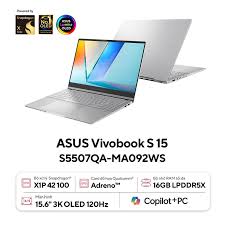
2. ASUS Vivobook 15 (Intel i3 12th Gen)
Why it stands out: Latest generation processor
Key Specs:
-
Intel Core i3-1215U
-
8GB RAM
-
512GB SSD
-
Slim & lightweight
Performance:
12th Gen Intel gives better efficiency and performance compared to older chips.
Best for: Office work, daily usage
Price: ~₹39,999
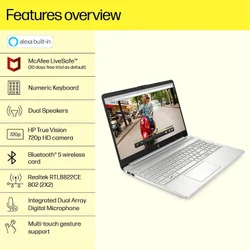
3. HP 15s (Intel i3 11th Gen)
Why it stands out: Trusted brand + reliability
Key Specs:
-
Intel Core i3-1115G4
-
8GB RAM
-
512GB SSD
Performance:
Solid everyday performance for students and office users.
Best for: Basic tasks, students
Price: ~₹36,000
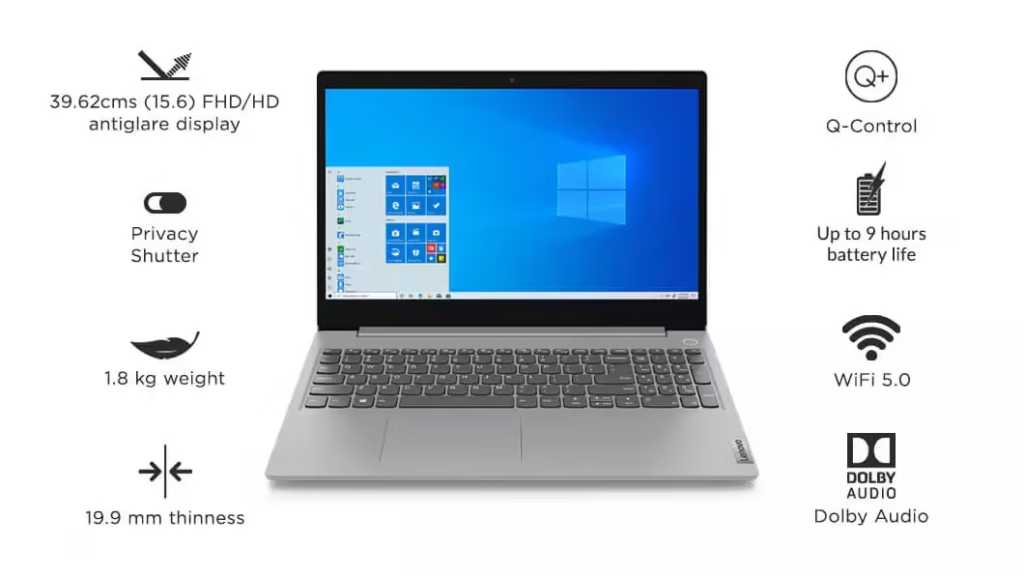
4. Lenovo IdeaPad Slim 3 (Ryzen 3 5300U)
Why it stands out: Balanced performance + battery
Key Specs:
-
AMD Ryzen 3 5300U
-
8GB RAM
-
512GB SSD
Performance:
Smooth for browsing, MS Office, and online classes.
Best for: Budget users
Price: ~₹35,000
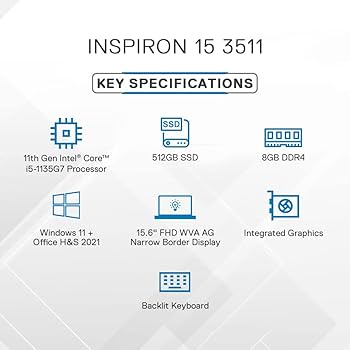
5. Dell Inspiron 3511
Why it stands out: Build quality & durability
Key Specs:
-
Intel i3 11th Gen
-
8GB RAM
-
512GB SSD
Performance:
Dell’s reliability makes it a safe choice.
Best for: Long-term usage
Price: ~₹38,000
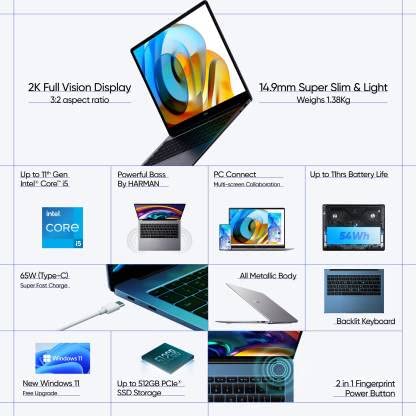
6. Realme Book (Slim) – (Discount Deals)
Why it stands out: Premium design in budget
Key Specs:
-
Intel i3 11th Gen
-
8GB RAM
-
256GB SSD
-
2K Display
Performance:
Great for media consumption and portability.
Best for: Stylish users, students
Price: ~₹39,000 (during sales)
7. Infinix Zero Book (Entry Variant)
Why it stands out: Value for money
Key Specs:
-
Intel i3 12th Gen
-
8GB RAM
-
512GB SSD
Performance:
Surprisingly good for the price.
Best for: Budget buyers
Price: ~₹35,000
8. ASUS Vivobook Go 15 (Ryzen 3 7320U)
Why it stands out: Latest Ryzen chip
Key Specs:
-
Ryzen 3 7320U
-
8GB RAM
-
512GB SSD
Performance:
Efficient and modern architecture.
Best for: Students
Price: ~₹38,000
9. HP Chromebook x360 (Alternative Option)
Why it stands out: 2-in-1 flexibility
Key Specs:
-
Touchscreen
-
Chrome OS
-
Lightweight
Performance:
Not Windows, but great for online work.
Best for: Students, browsing
Price: ~₹30,000
10. Avita Liber V14
Why it stands out: Stylish & affordable
Key Specs:
-
Intel i5 (older gen)
-
8GB RAM
-
SSD storage
Performance:
Good for light usage.
Best for: Design-focused buyers
Price: ~₹33,000
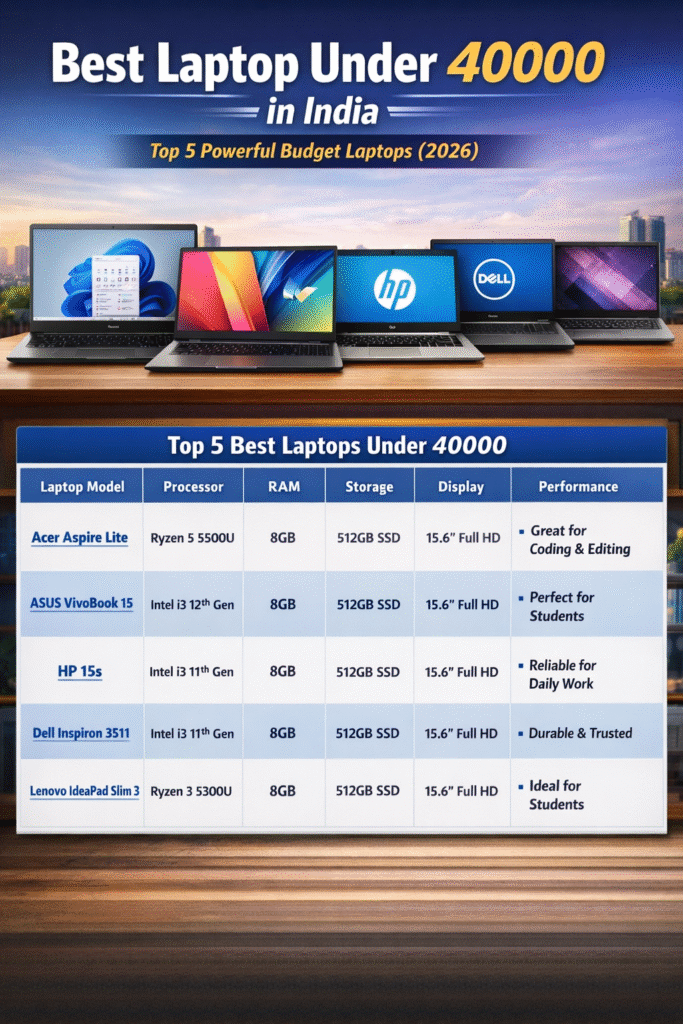
🏆 Top 5 Best Laptops Under 40000 (Featured Picks)
🔹 Selected Models
-
Acer Aspire Lite (Ryzen 5)
-
ASUS Vivobook 15 (i3 12th Gen)
-
HP 15s (i3 11th Gen)
-
Lenovo IdeaPad Slim 3 (Ryzen 3)
-
ASUS Vivobook Go 15 (Ryzen 3)
📊 Detailed Comparison Table (Best of 5)
|
Attribute |
Acer Aspire Lite Ryzen 5 |
ASUS Vivobook 15 i3 12th Gen |
HP 15s i3 11th Gen |
Lenovo IdeaPad Slim 3 Ryzen |
ASUS Vivobook Go 15 Ryzen |
|---|---|---|---|---|---|
|
Processor |
Ryzen 5 5500U (6 Core) |
Intel i3 12th Gen |
Intel i3 11th Gen |
Ryzen 3 5300U |
Ryzen 3 7320U |
|
RAM |
8GB (Upgradeable) |
8GB |
8GB |
8GB |
8GB |
|
Storage |
512GB SSD |
512GB SSD |
512GB SSD |
512GB SSD |
512GB SSD |
|
Display |
15.6” FHD |
15.6” FHD |
15.6” FHD |
15.6” FHD |
15.6” FHD |
|
Battery Life |
7–8 hrs |
6–7 hrs |
6 hrs |
7 hrs |
6–7 hrs |
|
Build Quality |
Good |
Slim & stylish |
Strong & durable |
Lightweight |
Compact |
|
Best For |
Performance users |
Students |
Reliability |
Budget students |
Everyday use |
🚀 Performance Comparison (Important for Students)
💻 1. Coding Performance
|
Laptop |
Coding Experience |
|---|---|
|
Acer Aspire Lite (Ryzen 5) |
⭐⭐⭐⭐⭐ (Smooth for Python, Java, Web Dev, Android Studio) |
|
ASUS Vivobook 15 (i3 12th) |
⭐⭐⭐⭐ (Good for coding + VS Code + moderate projects) |
|
HP 15s (i3 11th) |
⭐⭐⭐ (Basic coding, may lag in heavy IDEs) |
|
Lenovo IdeaPad Slim 3 |
⭐⭐⭐⭐ (Smooth for students learning programming) |
|
ASUS Vivobook Go 15 |
⭐⭐⭐ (Entry-level coding only) |
👉 Ryzen 5 clearly wins for serious coding + development.
🎬 2. Video Editing / Photo Editing Performance
|
Laptop |
Editing Capability |
|---|---|
|
Acer Aspire Lite (Ryzen 5) |
⭐⭐⭐⭐ (Can handle Premiere Pro, Canva, Photoshop) |
|
ASUS Vivobook 15 |
⭐⭐⭐ (Light editing only) |
|
HP 15s |
⭐⭐ (Very basic editing) |
|
Lenovo IdeaPad Slim 3 |
⭐⭐⭐ (Canva, light Photoshop) |
|
ASUS Vivobook Go 15 |
⭐⭐ (Not ideal for editing) |
👉 For editing, Ryzen 5 laptops are strongly recommended.
📚 3. Student Daily Usage (Most Important)
|
Task |
Best Laptop |
|---|---|
|
Online Classes |
All laptops work smoothly |
|
MS Office / Projects |
All laptops perform well |
|
Multitasking |
Acer Aspire Lite & ASUS Vivobook best |
|
Browsing + YouTube |
All laptops smooth |
|
Portability |
ASUS Vivobook & Lenovo Slim 3 |
👉 For students:
-
Budget → Lenovo Slim 3
-
Performance → Acer Aspire Lite
🎮 4. Gaming Performance (Light Gaming Only)
|
Laptop |
Gaming |
|---|---|
|
Acer Aspire Lite |
⭐⭐⭐⭐ (GTA V, Valorant low-medium) |
|
ASUS Vivobook 15 |
⭐⭐⭐ (Low settings gaming) |
|
Others |
⭐⭐ (Very light gaming only) |
⚡ Buying Guide: How to Choose the Best Laptop Under 40000
1. Processor Matters Most
-
Go for Ryzen 5 or Intel i3 12th Gen
-
Avoid very old processors
2. Always Choose SSD
-
SSD = faster boot + smooth performance
-
Minimum: 512GB SSD
3. RAM Should Be 8GB
-
4GB is outdated in 2026
4. Display Quality
-
Full HD is a must
-
IPS panel preferred
5. Battery Life
-
Look for 6+ hours
🎯 Which Laptop Should You Choose?
-
Best Overall: Acer Aspire Lite (Ryzen 5)
-
Best for Students: Lenovo IdeaPad Slim 3
-
Best Design: Realme Book
-
Best Brand Trust: Dell Inspiron / HP 15s
❌ Laptops You Should Avoid
-
HDD-based laptops
-
4GB RAM laptops
-
Intel Celeron / Pentium processors
🔥 Final Verdict
If you’re searching for the Best laptop under 40000, you actually have some incredible options in 2026. Brands are offering better performance, faster storage, and modern designs at budget prices.
👉 If performance is your priority, go with Ryzen 5 laptops
👉 If you want reliability, choose HP or Dell
👉 If design matters, pick Realme Book or ASUS Vivobook
📌 FAQs
Q1. Which is the best laptop under 40000 in India?
Acer Aspire Lite with Ryzen 5 is one of the best overall choices.
Q2. Is 8GB RAM enough in 2026?
Yes, for normal use like browsing, office work, and study.
Q3. Can I do gaming on these laptops?
Only light gaming (GTA V, Valorant low settings).
Q4. Which brand is best?
HP, Dell, ASUS, Lenovo — all are reliable.
💡 Conclusion
Choosing the Best laptop under 40000 is no longer difficult if you know what to look for. Focus on performance, SSD storage, and RAM — and you’ll get a laptop that easily lasts 3–5 years.
Leave a Reply